Function PivotTableWidget
PivotTableWidget(
props):Promise<ReactNode> |ReactNode
React component extending PivotTable to support widget style options.
Parameters
| Parameter | Type | Description |
|---|---|---|
props | PivotTableWidgetProps | Pivot Table Widget properties |
Returns
Promise< ReactNode > | ReactNode
Widget component representing a pivot table
Example
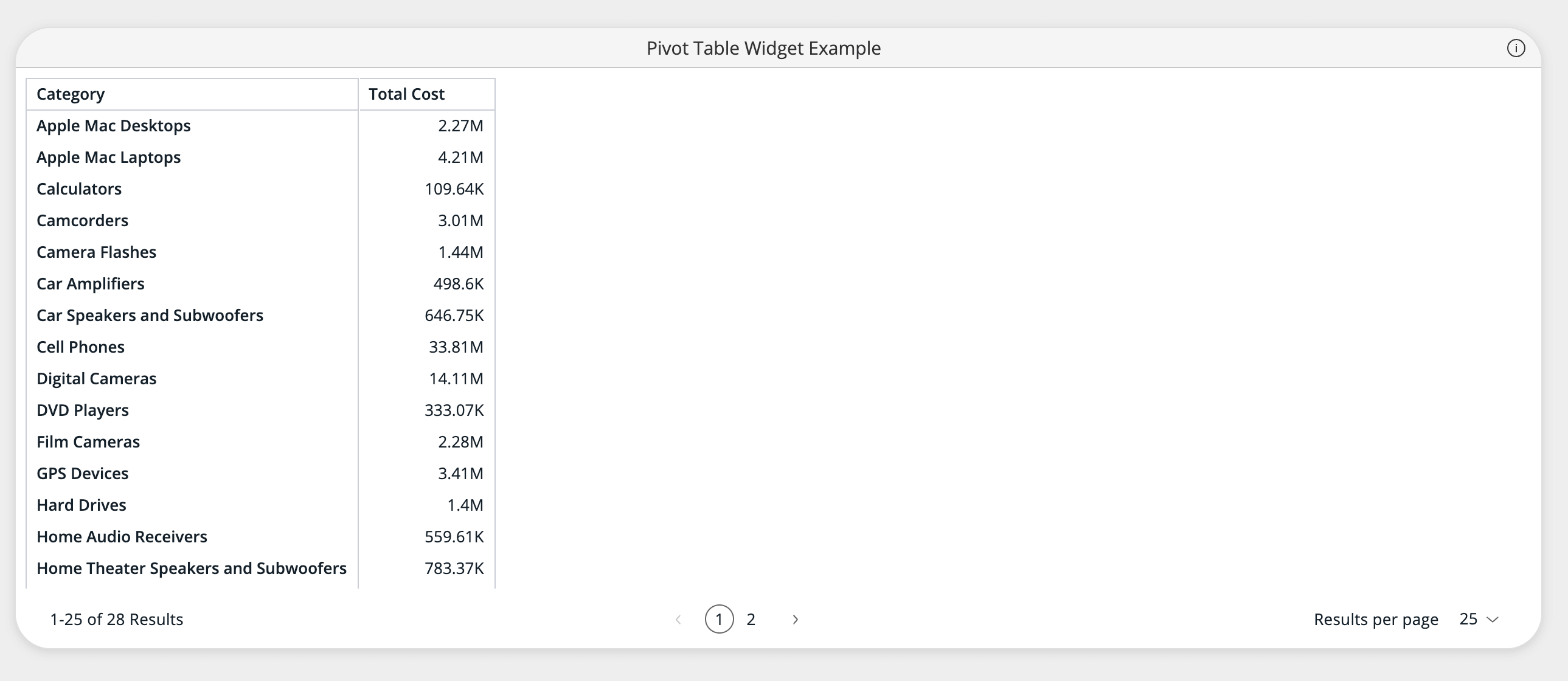
Example of using the PivotTableWidget component to plot a pivot table over the Sample ECommerce data source hosted in a Sisense instance.
<PivotTableWidget
  dataSource={DM.DataSource}
  dataOptions={{
    rows: [DM.Category.Category],
    values: [measureFactory.sum(DM.Commerce.Cost, 'Total Cost')]
  }}
  title="Pivot Table Widget Example"
  styleOptions={{
    spaceAround: 'Medium',
    cornerRadius: 'Large',
    shadow: 'Light',
    border: true,
    borderColor: '#e0e0e0',
    backgroundColor: '#ffffff',
    header: {
      hidden: false,
      titleTextColor: '#333333',
      titleAlignment: 'Center',
      dividerLine: true,
      dividerLineColor: '#e0e0e0',
      backgroundColor: '#f5f5f5'
    }
  }}
/>