Class PivotTableWidget
The PivotTableWidget component extending the PivotTable component to support widget style options.
Example
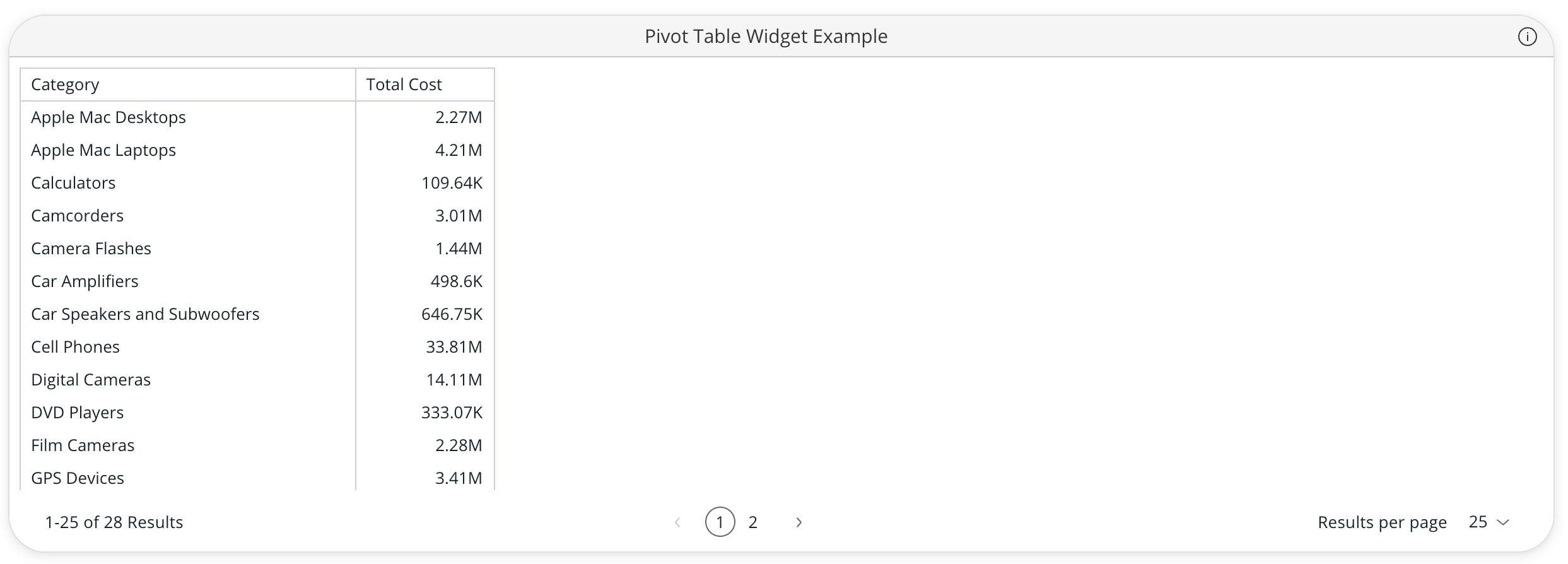
Here's how you can use the PivotTableWidget component in a Vue application:
<template>
  <PivotTableWidget
     :dataSource="pivotTableWidgetProps.dataSource"
     :filters="pivotTableWidgetProps.filters"
     :dataOptions="pivotTableWidgetProps.dataOptions"
     :styleOptions="pivotTableWidgetProps.styleOptions"
     :title="pivotTableWidgetProps.title"
  />
</template>

<script setup lang="ts">
import { ref } from 'vue';
import { measureFactory } from '@sisense/sdk-data';
import { PivotTableWidget, type PivotTableWidgetProps } from '@sisense/sdk-ui-vue';
import * as DM from '../assets/sample-ecommerce-model';

const pivotTableWidgetProps = ref<PivotTableWidgetProps>({
  dataSource: DM.DataSource,
  dataOptions: {
    rows: [DM.Category.Category],
    values: [measureFactory.sum(DM.Commerce.Cost, 'Total Cost')],
  },
  filters: [],
  title: 'Pivot Table Widget Example',
  styleOptions: {
    spaceAround: 'Medium',
    cornerRadius: 'Large',
    shadow: 'Light',
    border: true,
    borderColor: '#e0e0e0',
    backgroundColor: '#ffffff',
    header: {
      hidden: false,
      titleTextColor: '#333333',
      titleAlignment: 'Center',
      dividerLine: true,
      dividerLineColor: '#e0e0e0',
      backgroundColor: '#f5f5f5',
    },
  },
});
</script>
Param
Pivot Table Widget properties
Properties
Data
dataSource
readonlydataSource?:DataSource
Data source the query is run against - e.g. Sample ECommerce
If not specified, the query will use the defaultDataSource specified in the parent Sisense Context.
filters
readonlyfilters?:FilterRelations|Filter[]
Filters that will slice query results
highlights
readonlyhighlights?:Filter[]
Filters that will highlight query results
Chart
dataOptions
readonlydataOptions:PivotTableDataOptions
Configurations for how to interpret and present the data passed to the table
Widget
config
readonlyconfig?:PivotTableWidgetConfig
Configuration of the widget
description
readonlydescription?:string
Description of the widget
drilldownOptions
readonlydrilldownOptions?:PivotTableDrilldownOptions
Configuration for the pivot table drilldown
id
readonlyid?:string
Widget identifier
Used to identify the widget when exporting its data (for example, the "Download as Excel" action).
styleOptions
readonlystyleOptions?:PivotTableWidgetStyleOptions
Style options for both the table and widget including the widget header
title
readonlytitle?:string
Title of the widget
Callbacks
onDataPointClick
readonlyonDataPointClick?:PivotTableDataPointEventHandler
Callback function that is called when the pivot table cell is clicked
onDataPointContextMenu
readonlyonDataPointContextMenu?:PivotTableDataPointEventHandler
Callback function that is called when the pivot table cell is right-clicked