Interface StyledColumn
Wrapped Column with styles controlling how the column is visualized in a chart.
Example
An example of using StyledColumn to change the date format of the months displayed on the x-axis.
<Chart
  dataSet={DM.DataSource}
  chartType={'line'}
  dataOptions={{
    category: [
      {
        column: DM.Commerce.Date.Months,
        dateFormat: 'yy-MM',
      },
    ],
    value: [
      measureFactory.sum(DM.Commerce.Revenue),
      {
        column: measureFactory.sum(DM.Commerce.Quantity),
        showOnRightAxis: true,
        chartType: 'column',
      },
    ],
    breakBy: [],
  }}
/>
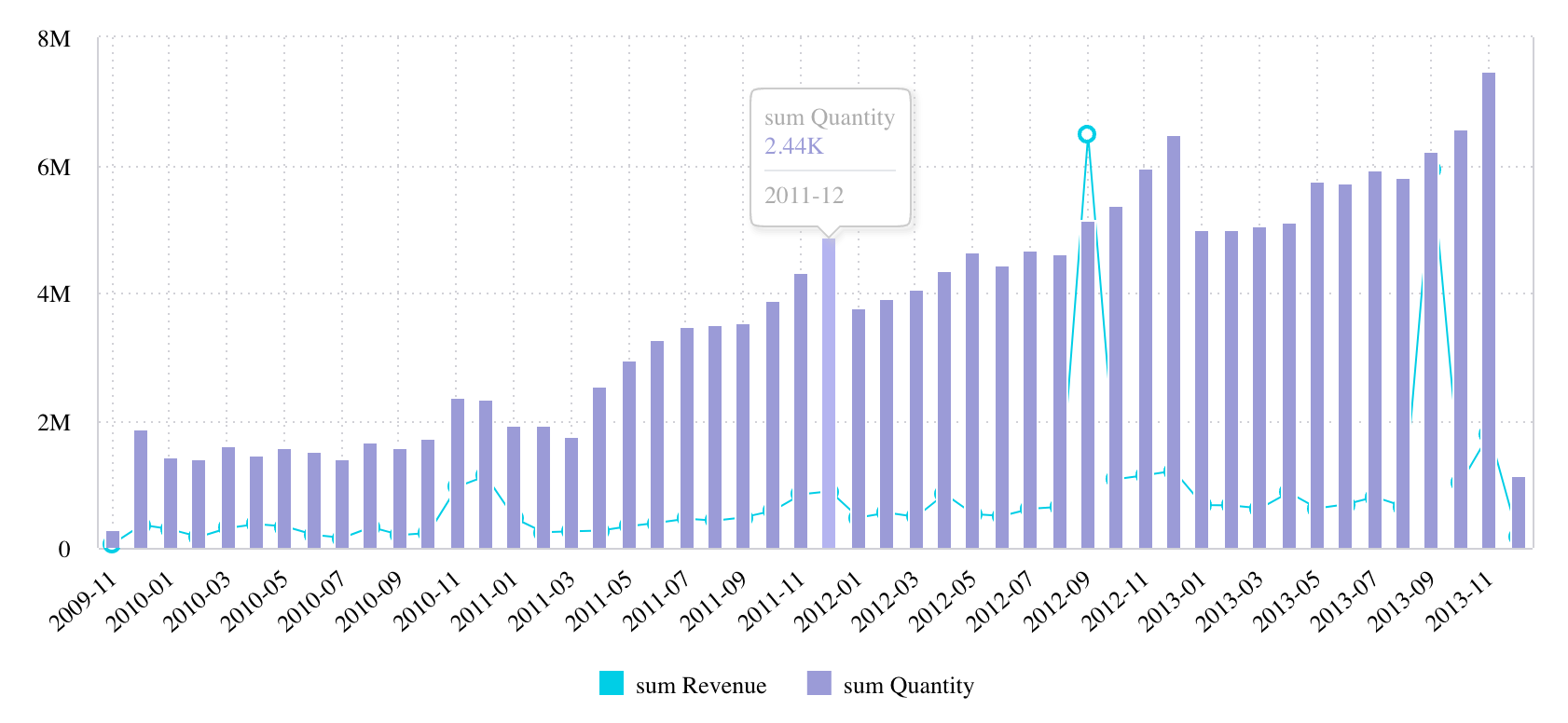
Also, see StyledMeasureColumn.
Properties
color
color?:
DataColorOptions
All possible color options for data.
column
column:
CalculatedColumn|Column
Wrapped Column or CalculatedColumn (calculated dimension)
continuous
continuous?:
boolean
Boolean flag to toggle continuous timeline on this date column.
dateFormat
dateFormat?:
string
Date format for display using date-fns format token syntax (for example yyyy, MM, dd, HH:mm:ss, or yy-MM). This is not the ECMAScript Date Time String Format.
Note that YYYY and DD are discouraged since they are often confused with yyyy and dd and can produce unexpected results.
geoLevel
geoLevel?:
ScattermapLocationLevel
Geographic location level for Scattermap chart.
granularity
granularity?:
string
Date granularity that works with continuous timeline.
Values from DateLevels.
includeSubTotals
includeSubTotals?:
boolean
Boolean flag whether to include subtotals for this dimension in the pivot table.
isColored
isColored?:
boolean
isHtml
isHtml?:
boolean
Boolean flag whether to render category/column value as HTML in the Table component.
name
name?:
string
Name of the column.
numberFormatConfig
numberFormatConfig?:
NumberFormatConfig
Configuration for number formatting.
sortType
sortType?:
PivotRowsSort|SortDirection
Sorting configuration that represents either SortDirection or PivotRowsSort for the pivot table